



Paying your du bill online has never been easier, offering multiple convenient options whether you prefer using Quick Pay, the du app, your bank, or digital wallets. This guide explains every method step by step, ensuring you can manage your bills securely and efficiently with du wifi payment.
- Understanding du Bills & Payment Basics
- Method 1 – Pay via du Quick Pay
- Method 2- Pay Through the du App
- Method 3- Pay via UAE Bank
- Method 4 – USSD, Phone Line & In-Person Options
- Method 5 – Using du Pay & Other Wallets
- Auto – Pay, Scheduled, and Recurring Payments
- Partial Payments, Overpayments & Refunds
- Troubleshooting Common du Bill Payment Issues
- Comparison Table: All Min du Bill Payment Methods
- How to Choose the Best Payment Method for You
- Key Takeaways
- Frequently Asked Questions (FAQs)
Understanding du Bills & Payment Basics
Before making a du wifi payment online, it is important to understand the types of bills and accounts you may have with du.
What types of du bills can be paid online?
- Postpaid mobile plans: Monthly plans billed based on usage, including data, calls, and SMS.
- Prepaid recharge & top-up: Instant recharge for prepaid numbers to maintain mobile services.
- Home services: Internet, TV, and landline services are billed monthly.
- Business vs. personal accounts: Business accounts often include multiple lines and larger data packages, whereas personal accounts are generally simpler to manage.
Information you need before paying
- Mobile number vs account number: Use your mobile number for postpaid and prepaid bills, or your account number for home services.
- Finding your du account number: Check your du bill, SMS, or email for the correct account reference.
- Payment limits: Minimum and maximum payment amounts vary depending on the method; online portals often have higher maximum limits.
- Accepted payment methods include Visa, Mastercard, GCC-issued cards, and digital wallets.
Method 1 – Pay via du Quick Pay
For one-off payments without logging in, du Quick Pay is a fast and convenient option. Quick Pay allows you to settle your du wifi payment instantly using only your mobile or account number. It is ideal for customers who do not have an app account or prefer a single transaction without creating a profile.
- Pros: No login required, quick access, instant payment confirmation.
- Cons: Limited to individual transactions, cannot manage multiple accounts or view history.
Step-by-step: Pay through du Quick Pay
- Go to the official du Quick Pay page.
- Enter your mobile or account number.
- Confirm bill details and outstanding amount.
- Enter the payment amount (full or partial).
- Choose your payment method (card type, wallet if available).
- Enter card details and verify payment via OTP or 3D Secure.
- Receive payment confirmation screen and SMS/email receipt.
Quick Pay limits, fees & restrictions
- Supported bill types: postpaid mobile, home services, and prepaid.
- Partial payments are allowed; the remaining balance will appear on your next bill.
- Only GCC-issued cards may be accepted; check your card compatibility.
Method 2 – Pay Through the du App
The du app is the best choice for customers managing multiple accounts or wanting a detailed payment history. With the du app, you can handle postpaid, prepaid, and home services in one place, save cards or wallets for future payments, and set up top-ups or Auto‑Pay.
To get started with the du app:
- Download from the App Store, Google Play, or Huawei Gallery.
- Register using your mobile number and verify with OTP.
- Link multiple numbers or accounts for easy access.
Step-by-step: Pay your bill in the du app
- Log in to the app and open the main dashboard.
- Tap “Pay Now” or navigate to the “Bills” section.
- Select the mobile or home account to pay.
- Enter the payment amount (up to AED 30,000).
- Choose the payment method (card, wallet, Apple Pay, or Google Pay).
- Confirm and authenticate the payment.
- Download receipts and view payment history.
Managing multiple lines and services
- Pay bills for family members or other linked accounts.
- Switch between postpaid, prepaid, and home services.
- Top-up prepaid numbers instantly or schedule future recharges.
Choosing “du Top-up” vs “du Bill”
- du Top-up: Instant recharge for prepaid numbers.
- du Bill: Regular monthly payments for postpaid and home services.
Method 3 – Pay via UAE Bank
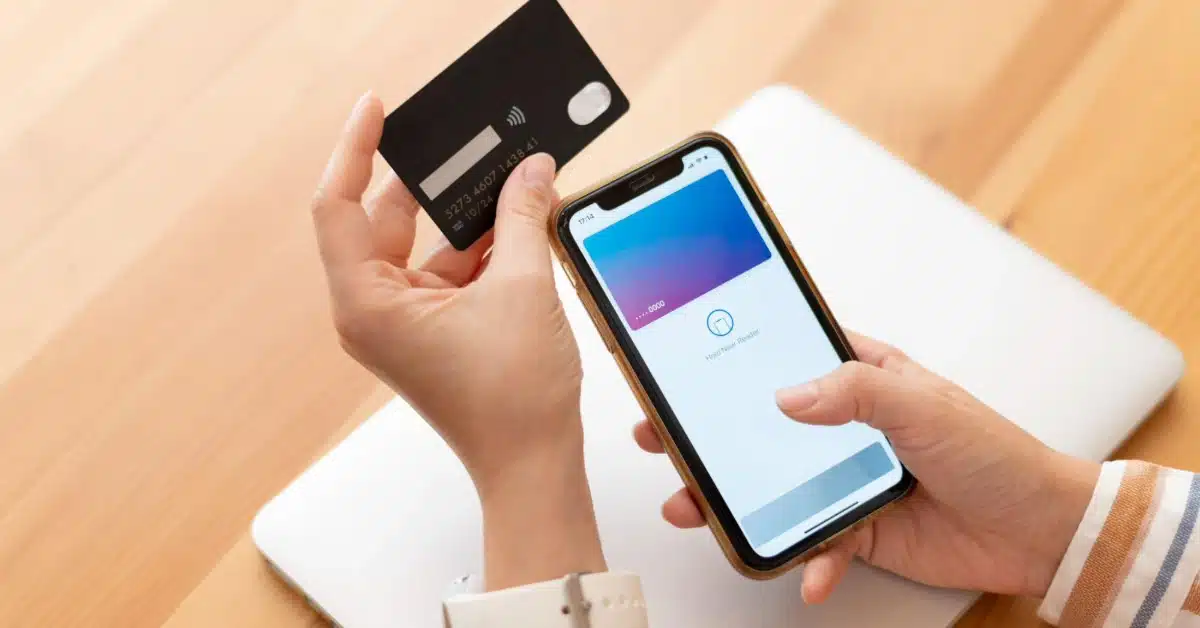
Many UAE banks allow du bill payments directly through online or mobile banking, ATMs, or Cash Deposit Machines (CDM).
Major banks, such as Emirates NBD, allow payments for postpaid, prepaid, and home services, often posting instantly to your du account.
To pay du bills through online & mobile banking:
- Log in to your bank’s app or online banking portal.
- Add du as a biller/beneficiary (first-time setup).
- Select the service type: postpaid, landline, prepaid, or home.
- Enter the amount within the minimum (AED 20) and maximum limits (up to AED 15,000).
- Confirm the payment; processing is usually instant.
Paying via ATM and CDM requires you to:
- Locate ATMs/CDMs supporting du payments.
- Pay using a debit card or cash deposit.
- Supported services include postpaid mobile, prepaid top-ups, and home services.
Comparison: Paying via bank vs directly with du
- Bank payments may save time if your card is already stored.
- Fees, limits, and processing speed are generally comparable.
- Bank methods are useful if you prefer consolidated payment tracking.
Method 4 – USSD, Phone Line and in‑Person Options
Alternative methods are available for those without app access or internet connectivity.
To pay the bill via USSD:
- Dial codes: *155# for mobile services, 043905555 for home services.
- Input card details securely via keypad.
- Ideal for older phones, no data plans, or quick transactions.
Also, you can pay by calling du customer service:
- Follow the IVR prompts to make a card payment.
- Verify your identity before confirming.
- Be aware of common issues like declined cards or cut‑off times.
Finally, Kiosks & in-store bill payment require you to:
- Find du self-service kiosks in malls and stores.
- Pay postpaid, prepaid, home, and top-ups using cash or card.
- Receipts are provided immediately.
Method 5 – Using du Pay & Other Wallets
du Pay is a digital wallet and card that provides a secure intermediary layer for du wifi payment.
What is du Pay?
- Supports multiple languages and caters to expats for remittances.
- Regulated by the Central Bank of the UAE with two-factor authentication (2FA).
Bill payment through du Pay
- Add funds via bank transfer or payment machines.
- Pay mobile and other du bills directly from the wallet.
Other third-party wallets & payment apps
- Apple Pay and Google Pay are integrated within the du app.
- Third-party bill-pay apps like payit are also supported.
Auto‑Pay, Scheduled, and Recurring Payments
For convenience, Auto‑Pay ensures bills are settled on time every month.
Setting up Auto‑Pay
- Use the du app or official website.
- Link a primary card for automatic monthly payments.
- Choose full or partial auto-payment if supported.
Scheduled payments via bank or wallet
- Set standing instructions for debit card or bank account.
- Align due dates with salary to avoid late fees.

Partial Payments, Overpayments & Refunds
du allows flexibility when paying less or more than the bill.
- Making partial payments
- Enter a custom amount in Quick Pay or the du app.
- The remaining balance will appear in the next bill.
- Paying more than the bill amount
- Overpayment creates a credit balance.
- Credit is automatically adjusted on future invoices.
- Refunds and reversals
- Request a refund if charged incorrectly.
- Contact du or your bank for disputed charges.
Troubleshooting Common du Bill Payment Issues
Issues can occur due to payment errors, system delays, or wrong account numbers.
- Payment declined: Check 3D Secure/OTP and card limits.
- Bill not updated: Wait a short period and contact support with the transaction reference.
- Wrong number or account paid: Take a screenshot and contact du support immediately.
Comparison Table: All Main du Bill Payment Methods
| Method | Ideal For | Payment Limits | Notes |
| Quick Pay | One-off payments | Depends on the card | No login required |
| du App | Multiple lines, top-ups | AED 30,000 | Manage history, partial payments |
| UAE Bank | Card already saved | AED 20–15,000 | Consolidated banking |
| USSD/Phone | Low connectivity | Limited | No internet needed |
| Kiosks | Cash payments | Varies | In-store receipt |
| du Pay / Wallet | Secure intermediary | Depends on the wallet | Can schedule & auto-pay |
How to Choose the Best Payment Method for You
Selecting the right method depends on your needs.
- Fastest one-off payment: Use Quick Pay or a bank app.
- Manage multiple du lines/services: Use du app.
- Prefer cash: Bank CDM, du kiosks, or du Pay.
- Set and forget: Auto-Pay via du app or bank standing instructions.
Key Takeaways
Quick Pay on the du website allows you to pay postpaid and home bills instantly using just your mobile or account number, without the need to log in. The du app, on the other hand, is ideal for managing multiple lines, monitoring usage, making partial payments of up to AED 30,000, and saving cards or wallets for faster checkout. Most major UAE banks, such as Emirates NBD and others, support du bill payments through online banking, mobile apps, ATMs, and CDMs, with instant posting to your account.
For offline or low-connectivity situations, options include USSD codes, IVR phone payments, and du self-service kiosks located in malls and stores. Additionally, du Pay and other digital wallets provide an extra layer of security by allowing you to fund a wallet first and then pay your bills securely. For the utmost convenience and to avoid late fees or service interruptions, it is recommended to set up Auto‑Pay or scheduled payments via the du app or your bank.
FAQs
Yes, you can use du Quick Pay on the official website, enter your mobile or account number, select the payment amount, and pay by card, no account or login required.
You can generally pay up to AED 30,000 per transaction through the du app, depending on your card and bank limits.
Yes, you can. Many banks, including Emirates NBD, allow you to add du as a biller and pay for mobile, landline, and prepaid services via online or mobile banking, as well as ATMs and CDMs, with instant processing.
Yes, they do. Both du Quick Pay and the du app let you pay a custom amount less than the full bill, with any remaining balance carried over to the next billing cycle.
Keep the transaction reference and a screenshot of the confirmation page, wait a short period for the systems to update, and then contact du customer support or your bank with the reference if the payment status does not reflect immediately.



